MM logo white 1
MM logo red
Image description is not available

The best wireless mouse of 2026

Daan11 JANUARY 2026
A hand operates a black wireless computer mouse on a wooden desk, with a keyboard blurred in the background.

Are you looking for the best wireless mouse of 2026? The right mouse improves your ergonomics and productivity. In this article, we compare the best models of this year. This way, you can find the mouse that suits your work style.

What is a good wireless mouse?

A woman in an orange blouse types at a desk, using a white mouse and keyboard, with a tablet placed nearby.

Choosing a good wireless computer mouse is about more than just the design. There are a few technical and ergonomic points that really make the difference in ease of use:

  • What DPI value do you need? DPI (dots per inch) determines how sensitive the mouse is: the higher the value, the further the cursor moves with the same hand movement. For office work, a mouse with 800 to 1600 DPI is often sufficient. For creative work or gaming, you can benefit from higher, adjustable DPI settings. A mouse with a DPI button lets you quickly switch between settings.
  • Which shape suits your hand and working style? The shape of the mouse determines how comfortable and precise you can work. Do you like to rest your hand completely on the mouse? Then choose a larger model. If you must click a lot, a smaller, lighter model is more convenient. Ergonomic or vertical mice reduce wrist strain during prolonged use.

A white wireless mouse rests atop a white laptop, with visible keys and a USB receiver plugged into the side.
  • How important is battery life to you? Rechargeable mice are handy, especially if you can continue working while charging. Models with AA or AAA batteries often last for months without recharging.
  • What additional features increase your ease of use? Programmable buttons save time through shortcuts. A hyper scroll wheel makes scrolling through long documents easy, and with multi-device support, you can switch between laptop, tablet or PC with a button.
  • How do you want to connect the mouse? You connect a wireless mouse via Bluetooth or a USB dongle. Bluetooth is useful for devices without a USB port. A USB dongle often provides a more stable connection.

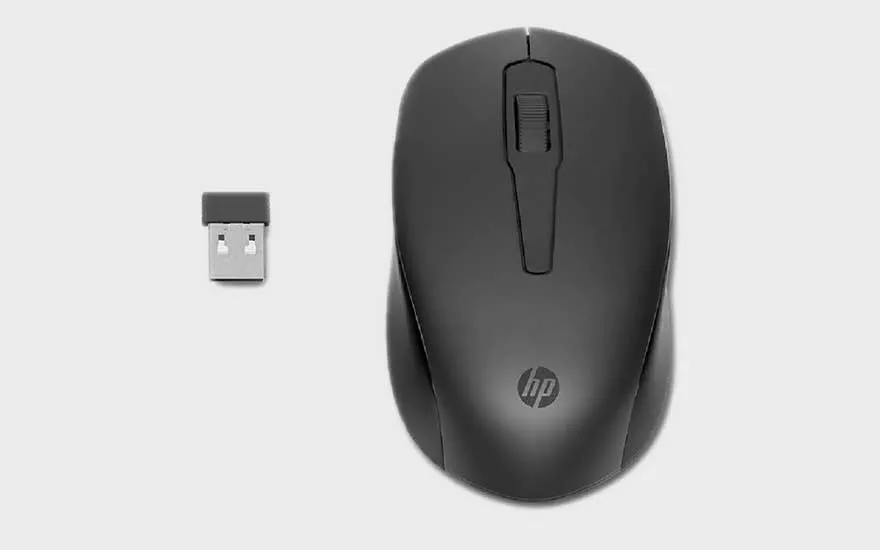
HP 150 Wireless Mouse: precise, comfortable, and budget-friendly

A black HP wireless mouse is shown with its USB receiver, both placed side by side on a plain light background.

Looking for a budget-friendly and reliable mouse that fits comfortably in your hand? The HP 150 is a wireless mouse that makes your daily computer work easier and more pleasant. You no longer must deal with clumsy cables: plug the small USB receiver into your laptop or PC and you can get started right away. The connection is stable, so you can work without slowing down. Thanks to the accurate sensor, the mouse works smoothly on almost any surface. So, you don't necessarily have to use a mouse pad.

To the HP 150 Wireless Mouse
ProsCons
Precise tracking on a variety of surfaces.No advanced features like extra buttons.
Ergonomic design for long-term use, both for left and right-handed people.Battery cover feels fragile at times.
Easy to use with a 2.4 GHz wireless connection.Not suitable for gamers or heavy graphics applications.

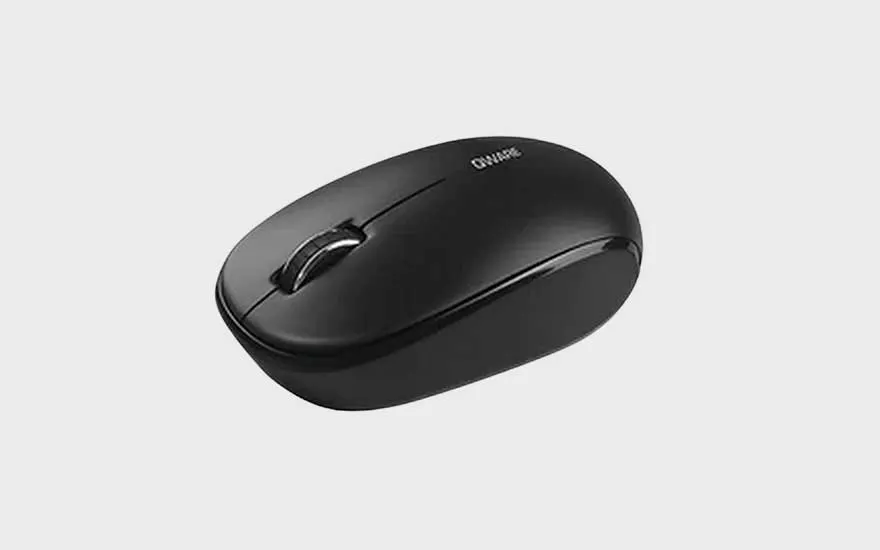
QWARE Bristol Wireless Mouse: budget-friendly and compact

A compact, black wireless mouse with a simple, rounded design and two buttons, placed on a plain light grey background.

With its compact, lightweight design and simple basic functions, the QWARE Bristol is made for those who want to get started right away. Plug in the small USB receiver and you can start working, browsing the web or checking your emails. The optical sensor provides enough accuracy for everyday tasks, while the lightweight design makes it easy to take the mouse with you wherever you go.

To the QWARE Bristol Wireless Mouse
ProsCons
Affordable and practical for basic use.No extra buttons or advanced features.
Compact design, convenient for on the go.Battery life is less long than some other models.
Easy installation with USB dongle.

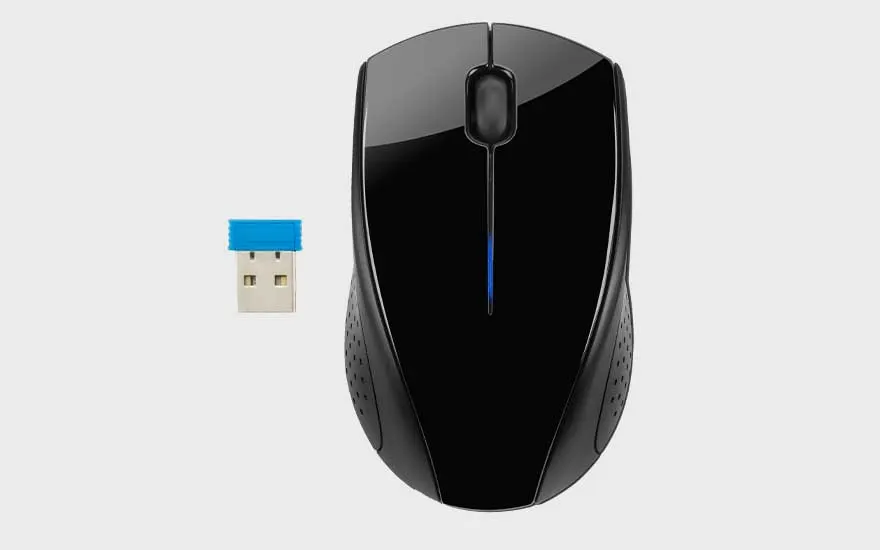
HP 220 wireless mouse: reliable and easy to use

A glossy black wireless mouse and matching USB receiver with a blue top are positioned on a plain light background.

With the HP 220, computer work is even smoother. This stylish wireless mouse lets you navigate smoothly through all your daily tasks. The sleek, cable-free design keeps your desk tidy and gives you more freedom of movement. Connect the compact USB receiver and you're good to go. The precise sensor responds quickly and precisely. Thanks to its symmetrical design, the HP 220 fits comfortably in your hand, whether you're left- or right-handed. A reliable choice for those who value comfort and functionality.

To the HP 220 Wireless Mouse
ProsCons
Reliable wireless connection with USB dongle.No extra buttons or advanced features.
Comfortable and symmetrical design for both hands.Not suitable for gaming or detail work.
Precise optical sensor up to 1600 dpi.

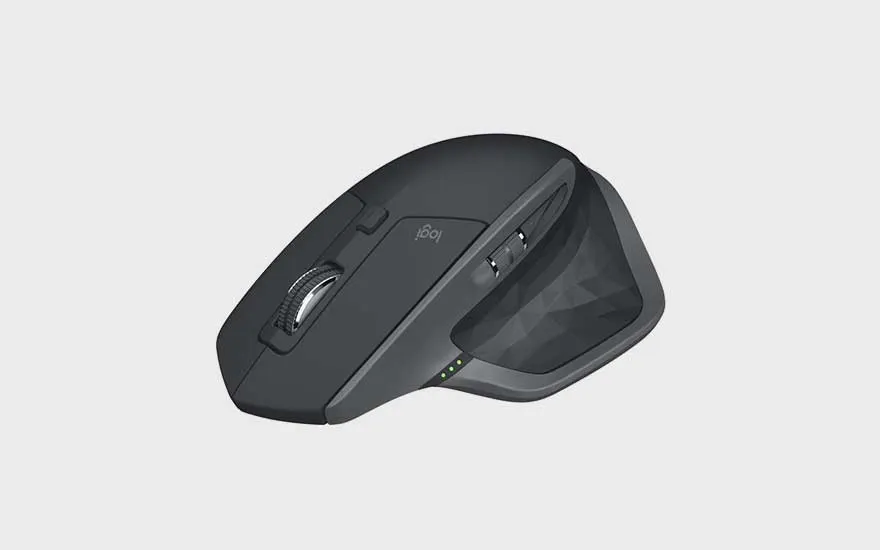
Logitech MX Master 2S wireless mouse: ergonomic and versatile for professionals

An advanced, dark Logitech wireless mouse with ergonomic shape and extra buttons sits against a grey background.

With the Logitech MX Master 2S, you can work quickly, smartly, and comfortably. The advanced sensor even detects glass, so you can work anywhere with maximum precision. The ergonomic design supports your hand and wrist, making long work sessions comfortable. Thanks to the smart scroll wheel and programmable buttons, you can easily navigate through documents or projects. With the push of a button, you can smoothly switch between 3 different devices.

To the Logitech MX Master 2S
ProsCons
Highly accurate tracking up to 4000 dpi, even on glass.Slightly larger and heavier, less suitable for on the go.
Ergonomic design for long-lasting comfort.Battery needs to be charged regularly, no removable batteries.
Programmable buttons and multi-function scroll wheel.

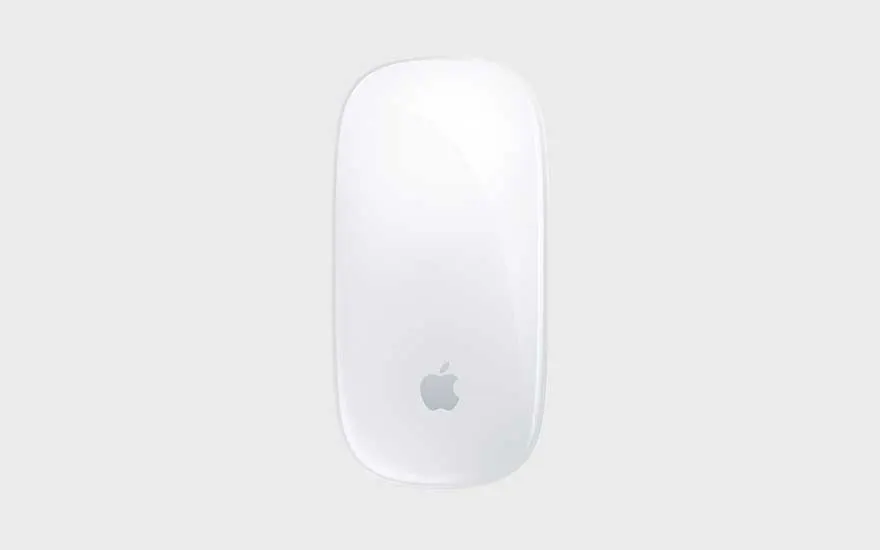
Apple Magic Mouse: elegant design with intuitive touch controls

A sleek white Apple Magic Mouse displayed on a plain light background, recognisable by the Apple logo at the centre.

With the Apple Magic Mouse, you can work ergonomically and in style. The minimalist design blends seamlessly with your Mac. The smooth multi-touch surface makes navigation intuitive. Scrolling through long pages, swiping between apps or clicking is all done with simple hand movements. Thanks to Bluetooth, you don't have to use cables or USB dongle, making your desk look neat and organised. Charging is done via the Lightning port on the bottom. This means that you cannot continue working while charging, but thanks to the long battery life, you don't have to do that often.

To the Apple Magic Mouse
ProsCons
Elegant design that blends seamlessly with other Apple products.Less ergonomic, can be tiring when used for long periods of time.
Wireless Bluetooth connection without dongle.Charging via the Lightning port at the bottom is not optimal.
Less suitable for precision work or gaming.

The best wireless mice for your laptop and PC at MediaMarkt

A person wearing a watch uses a white wireless mouse next to an open laptop on a bright, tidy desk.

The best wireless mouse depends entirely on your personal needs and work situation. For those looking for affordable and comfortable basic options, the HP 150 and QWARE Bristol are excellent choices. Both offer comfortable wireless convenience with no extras. The HP 220 combines reliability with a sleek design for a clean workspace. If you have high demands in terms of precision, comfort and productivity, you will find the Logitech MX Master 2S interesting. For Apple lovers, the Magic Mouse is a stylish choice with intuitive touch controls.

These articles might also be of interest to you