MM logo white 1
MM logo red
Image description is not available

iPad Air vs. iPad Pro: the main differences

Luca8 OCTOBER 2025
Four iPad models in different sizes lined up from largest to smallest, each showing colorful abstract wallpapers on their displays.

Do you like to use your iPad for more than just browsing or watching videos? Then the iPad Air and iPad Pro are both good options. The latest Apple iPad Air (2025) and iPad Pro (2025) are real powerhouses. But which one suits you best? Below, we compare both models on all the important points.

iPad Air (2025) vs. iPad Pro (2025): comparison

iPad attached to a keyboard with Apple Pencil on top, showing multiple overlapping app windows including calendar, notes, and a podcast image, illustrating multitasking.

The iPad Air and iPad Pro are the most powerful tablets from the Apple range. It is therefore logical that many professionals and graphic designers choose one of these 2 variants. Both iPads have a strong processor, a battery that lasts up to about 10 hours and an excellent camera. Nevertheless, there are some clear differences between the Apple iPad Air M3 (2025) and the Apple iPad Pro (2025) when it comes to display, design, performance, processor, accessories and price.

The differences between the iPad Air and iPad Pro

Property nameiPad Air (2025)iPad Pro (2024)
Screen size

11 and 13 inches

11 and 13 inches

Colours

Space grey, Blue, Purple, Starlight

Space black, Silver

Storage

128 GB, 256 GB, 512 GB and 1 TB

256 GB, 512 GB, 1 TB and 2 TB

Processor

M3 chip with 8-core CPU and 9-core GPU

M4 chip with maximum 10-core CPU and 10-core GPU

Maximum battery life

Up until 10 hours

Up until 10 hours

Camera

Back camera: 12 megapixels, Front camera: 12 megapixels

Back camera: 12 megapixels, Front camera: 12 megapixels

Connection

USB-C

USB-C with support for Thunderbolt/USB 4

Apple Intelligence

Yes

Yes

Face ID

No

Yes

Touch ID

Yes

No

Sound

2 speakers and 2 microphones

4 speakers and 4 microphones

iPadOS version

18

18

E-sim

Yes

No

Display and dimensions

Two tablets display screens; one shows a drawing tutorial, the other a yellow backdrop with a person in diamond-patterned clothing.

The iPad Air (2025) is equipped with an 11 or 13-inch screen featuring True Tone technology. This allows you to enjoy smooth images during your favourite series or game. The iPad Pro (2025) goes a step further thanks to ProMotion technology. This provides extra smooth images, even with heavy graphic content. Both screens are equipped with an anti-reflective layer, but with the iPad Pro you can choose a display with nano-texture coating on models with 1 or 2 TB. This is a special technique that gives your screen a matte appearance. So you don’t suffer from annoying reflections.

Design and colour options

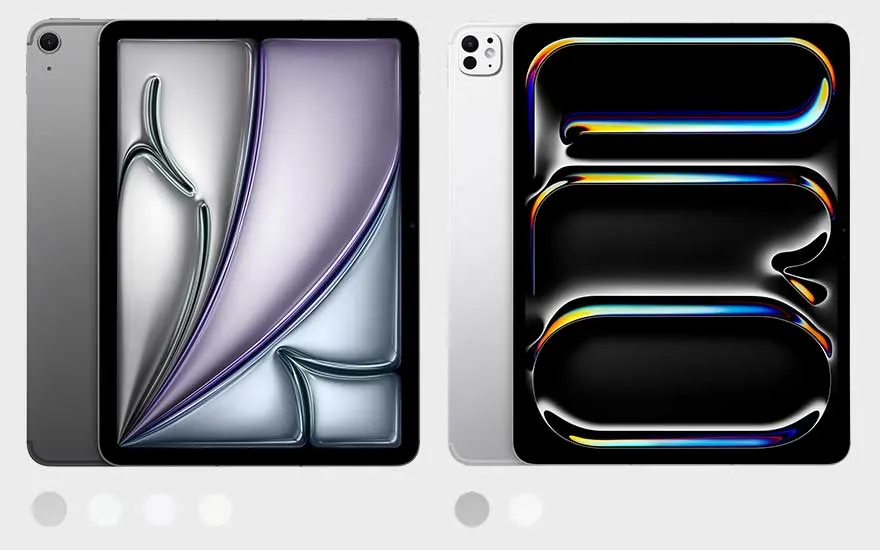
Two tablets, white and gray, stand side by side on a light gray background. Both have camera lenses visible on the top left.

The iPad Air (2025) and iPad Pro (2025) are very similar in design: a flat back, rounded corners and a sleek screen without wide bezels. However, there are differences in colours. The iPad Pro is available in silver and black, while the iPad Air is available in 4 shades: grey, blue, purple and gold. In terms of weight, both models are comparable. The iPad Air 11 inch is slightly lighter than the Pro with the same screen size. The difference is more noticeable in the 13-inch models: here, the iPad Pro is significantly lighter than the Air, with at least 37 grams difference.

More about the dimensions of iPads

Processor and memory

Close-up of a dark gray computer motherboard with a central processor unit (CPU) and expansion slots visible.

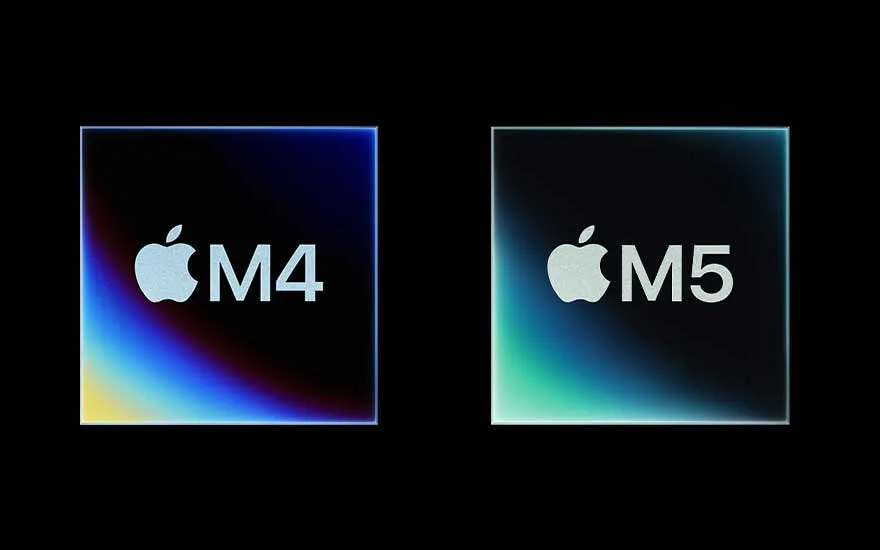
Both the iPad Air and the iPad Pro deliver top performance. The iPad Air runs on the M3 chip, allowing you to perform heavy tasks effortlessly. The iPad Pro goes even further with the new M5 chip: faster, more powerful and optimal for those working with graphics or 3D. Both iPads have 8 GB of RAM, which is handy if you multitask often. In addition, both models support Apple Intelligence*, allowing you to use smart features such as summarising notes or designing your own emojis. Don’t forget to update your iPad to iPadOS 18 so you can use all these features.

* from April 2025, Apple Intelligence will be available in English in Belgium. It is not yet known when the Dutch version will be released.

For what purpose should you choose which iPad?

A hand holds a white stylus over a tablet with a black screen on a light brown surface. A white laptop sits to the left.

What do you prefer to use your iPad for? Both the iPad Air and iPad Pro are equipped with a powerful chip, the same amount of memory and a smooth display. Do you use your iPad intensively for graphic work or gaming? Then you’ll get more out of the iPad Pro. Especially for dedicated video editors, designers or gamers, it offers just that little bit more. You can also easily connect the iPad Pro to an Apple monitor via the USB-C port. Are you looking for a powerful, versatile tablet for school, work or daily use? Then the iPad Air is more than sufficient.

Compatible accessories for the iPad Air and iPad Pro

Close-up of a white Apple Pencil against a bright white background, focusing on its sleek design and seamless construction.

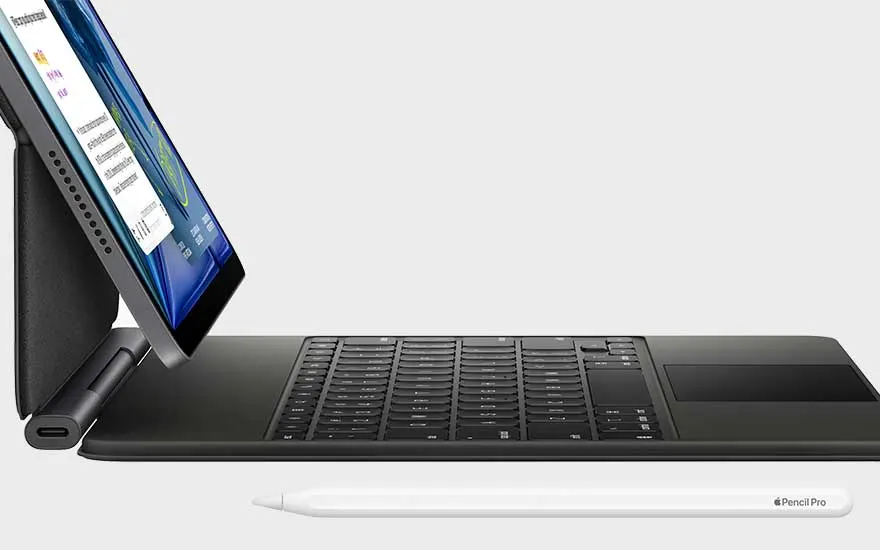
Both the iPad Pro and iPad Air work with the same accessories. You can therefore easily use the 2nd generation Apple Pencil, the USB-C version and the new Apple Pencil Pro. You can easily click this digital pen in place thanks to a magnetic connector. Do you want to type smoothly or use your iPad as a laptop? Then the Magic Keyboard or the Smart Keyboard Folio are good options. The Magic Keyboard is an Apple keyboard with a built-in trackpad, just like you’re used to on the MacBook. The Smart Keyboard Folio combines a laptop case and keyboard in one handy accessory.

Sound and camera

Two tablets are shown closely. One is white with one camera lens. The other is dark gray with three lenses and a flash.

Do you like to take photos and videos or regularly make FaceTime calls? Then a good camera and decent sound are of course essential. Both the iPad Air and the iPad Pro have a 12MP camera on the back, but with the Pro you can record videos in 4K ProRes. You can even edit them directly. The front camera of the Pro is also much more advanced. On the front is a TrueDepth camera that recognises your face. Handy for sharp selfies and unlocking your iPad via Face ID. The sound is also excellent. The iPad Air has 2 stereo speakers and 2 microphones. The Pro goes even further with 4 speakers and 4 studio-quality microphones. This is optimal if you like to record vlogs or have video meetings where clear images and sharp sound are required.

Price difference between the iPad Air (2025) and the iPad Pro (2025)

A person holds a purple iPad and white stylus, seated in a blue chair. A grey vase sits on a table.

Price often plays a decisive role in your choice. The iPad Pro is usually more expensive, mainly because of the more powerful chip, better display and more advanced cameras. However, the price of an iPad Air with a lot of storage and 5G can sometimes be like that of a Pro. The iPad Pro offers storage up to 2 TB but does not have a 128 GB variant like the Air. Often, when the newest iPad is released, this also affects the price. You then immediately pay less for an older model. So, think carefully about what you are going to use your iPad for. Don’t need all the features of the iPad Pro? Then the iPad Air is probably the smartest option.

iPad Air vs. iPad Pro: how do you make the right choice?

Five iPads stand upright against a gray backdrop. Each tablet displays a unique, colorful screen design.

Are you a creative professional or a dedicated gamer? Then the iPad Pro is the best match. Do you mainly use your iPad for school, work or relaxation? Then the iPad Air is more than enough. Both models deliver top performance, it just depends on what you want to do with it. Prefer to see some extra comparisons? Then discover the difference between the iPad (2022) and the iPad Air (2024) or read what to look out for when choosing between all iPad models.

Which iPad should you choose?

These articles may also be interesting for you