MM logo white 1
MM logo red
Image description is not available

What is iOS 26?

Jasper20 NOVEMBER 2025
iOS 26 icon beside several iPhones displaying fresh lock screens, messages, music and apps, highlighting colourful new software features.

Since Monday, 15 September, 2025, you can install iOS 26 on your iPhone. This new version of Apple's operating system has a completely redesigned interface, more powerful AI features and numerous improvements that make your iPhone even easier to use. Curious about the latest features of iOS 26? You can read all about it on this page.

What are the new features in iOS 26?

Apple is releasing a series of smart and useful features with iOS 26. We list the most important new features for you here.

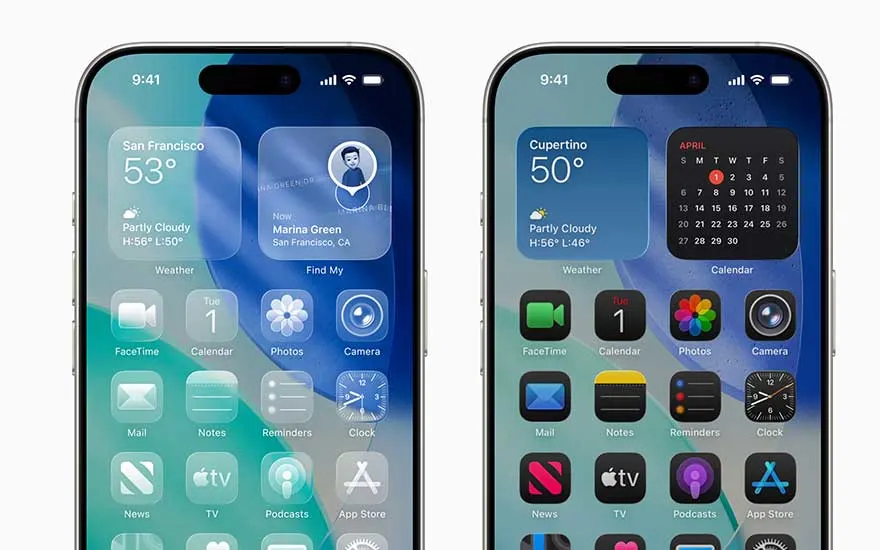
Two iPhones display home screens with large weather and calendar widgets and bright app icons in the refreshed iOS 26 layout.

Liquid Glass: a revamped interface

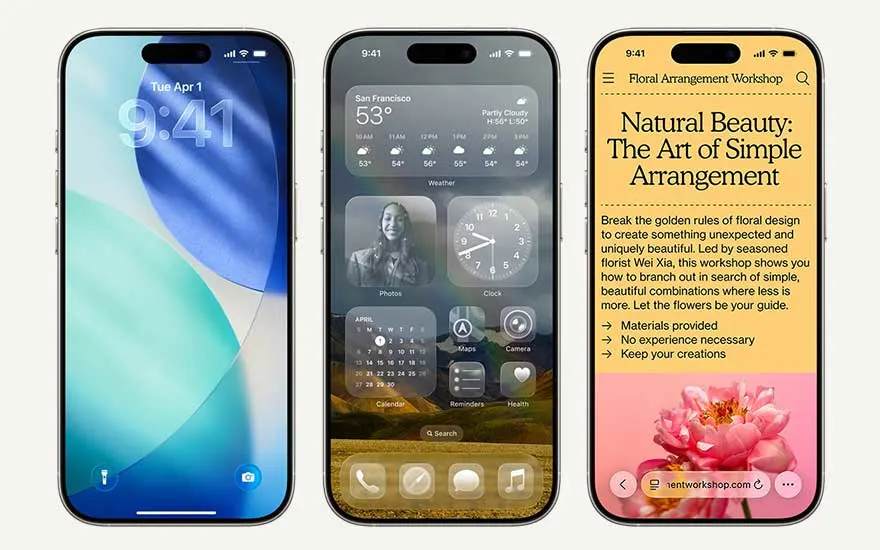
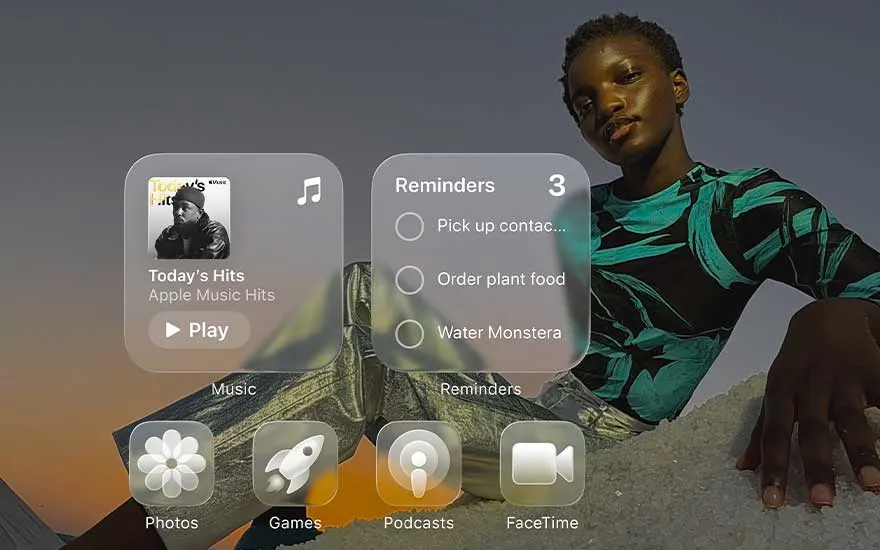
In Liquid Glass, the new iOS 26 interface, your app icons, buttons, and sliders look like they're made of glass. They allow light and colours to pass through and show subtle reflections and shadows that change when you move or tilt your device. This creates a dynamic, lively effect. And the transparent menus and buttons are designed to keep the focus on your own photos, videos, and apps.
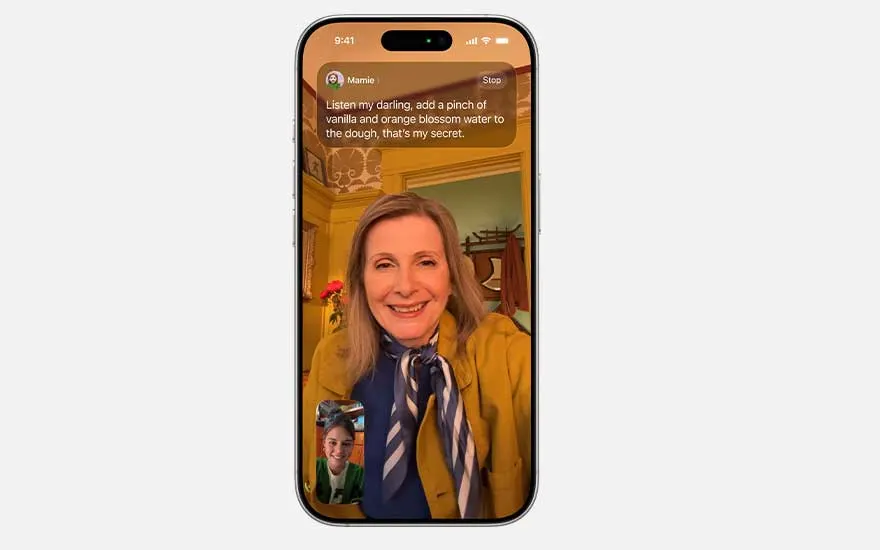
iPhone screen shows a video call between two people, with a live text transcript of the conversation in an orange banner.

Improved Apple Intelligence

The integrated AI features of the latest iOS version have been greatly improved. You can have messages, calls and FaceTime calls translated live. This feature is already available in several languages, and Dutch will follow. Visual Intelligence recognises text and objects on your screen and helps you immediately, for example by putting an appointment in your calendar or looking up extra information about the subject. Plus, developers can now integrate Apple Intelligence into their apps while keeping your privacy protected. So, you can expect more smart and intuitive features.

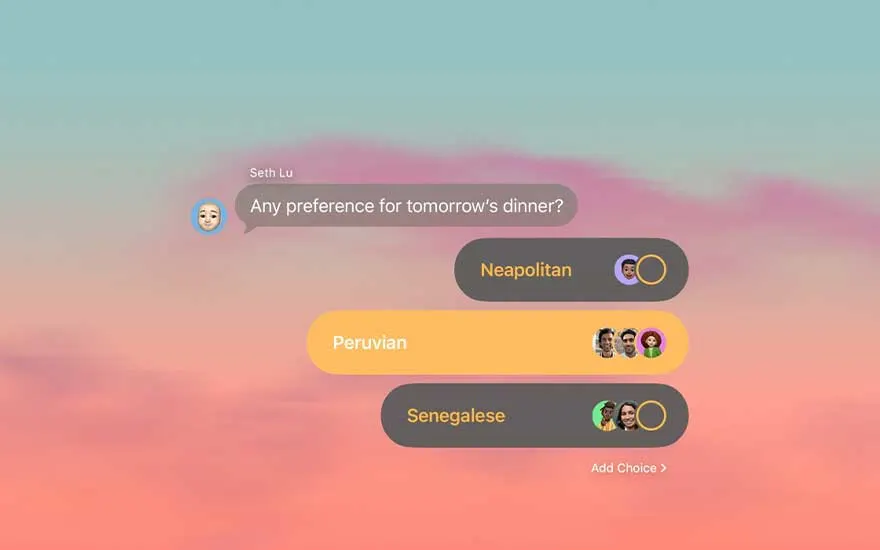
Messaging screen asks about dinner plans, offering colourful choice bars for cuisines, with friends’ avatars voting.

Communicate more smoothly in your own way

The Messages app also received a major upgrade. You can now set a background for each chat that is synchronised between all your Apple devices, and your conversation partner will also see it. Polls are now also available in group conversations, where anyone can add options. The Phone app has been redesigned to provide a cleaner design for recent calls and favourites. Call Screening, on the other hand, automatically filters unknown numbers and waiting assistance is in line for you and gives a signal when it's up to you.

Additional new features of iOS 26

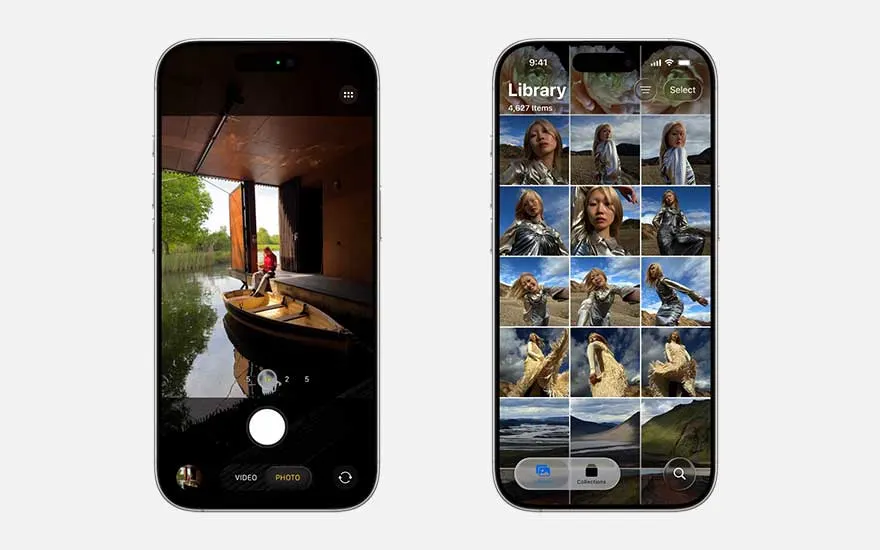
Two iPhones highlight the updated camera: one capturing a boat scene, the other showing a photo library of portraits.

In addition to the major updates above, iOS 26 introduces many smaller, but useful new features:

  • Accessibility: new options for braille users, to combat motion sickness and flexible settings to personalise your reading experience.
  • Family: parents can more easily set up child accounts and take advantage of enhanced parental controls, such as communication restrictions and App Store security.
  • Audio recording: make high-quality audio recordings during video meetings. AirPods or AirPods Pro with H2 chip support HD recording through the Camera app.
  • Reminders: with Apple Intelligence, Reminders automatically suggests tasks, follow-ups, and shopping lists based on text in emails and documents. You can automatically sort related items in an orderly manner.
  • Photos: a revamped layout, smart filters, and intuitive tabs make it easier to manage photos.

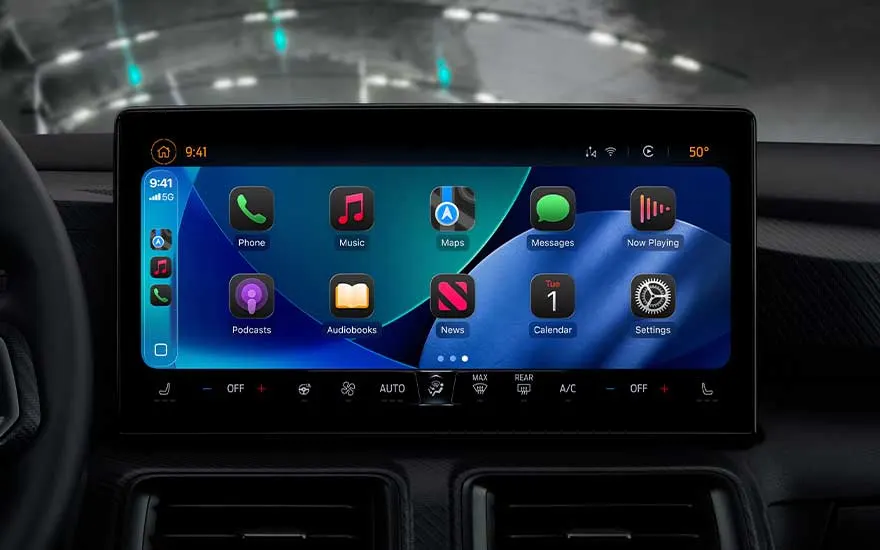
Large in car display running CarPlay shows apps like Phone, Music, Maps and Podcasts above detailed climate controls.
  • Camera control via AirPods: start video recording by pressing and holding your AirPods or AirPods Pro with H2 chip.
  • Clock: set your snooze duration more flexibly between 1 and 15 minutes and personalize your alarm settings.
  • CarPlay: reply with Tap back in Messages, follow Live Activities, and get an overview of important information while driving.
  • Journal: keep multiple journals for different aspects of your life, add images, and view notes on an interactive map.

How to install iOS 26 on your iPhone?

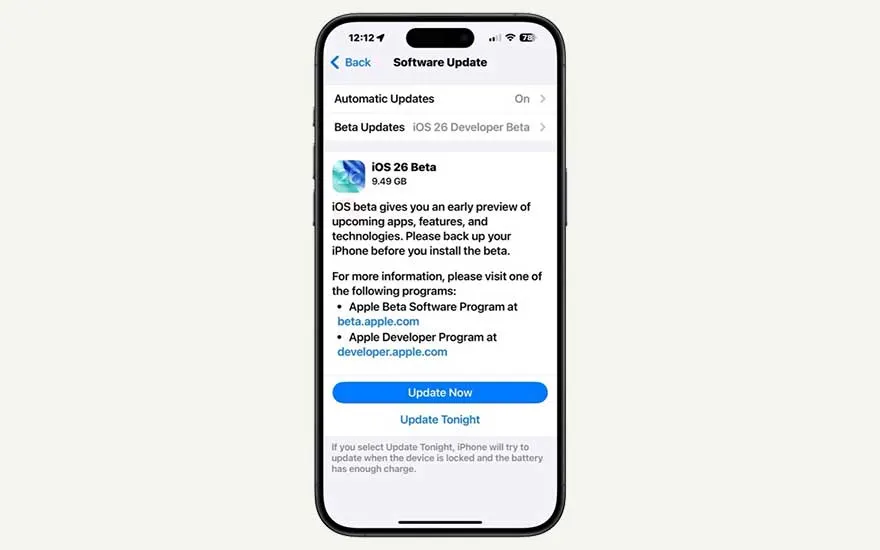
iPhone settings screen shows Software Update, inviting the user to install iOS 26 Beta with Update Now or Tonight buttons.

If you want to install iOS 26 on your iPhone, you'll probably notice that it's different than you're used to. That's because 2 new iPhone updates were announced simultaneously: iOS 18.7 and iOS 26. When you go to Updates via your settings, you will see iOS 18.7 first. Scroll down to the bottom of the page to install iOS 26.

Which iPhones will have iOS 26 available on?

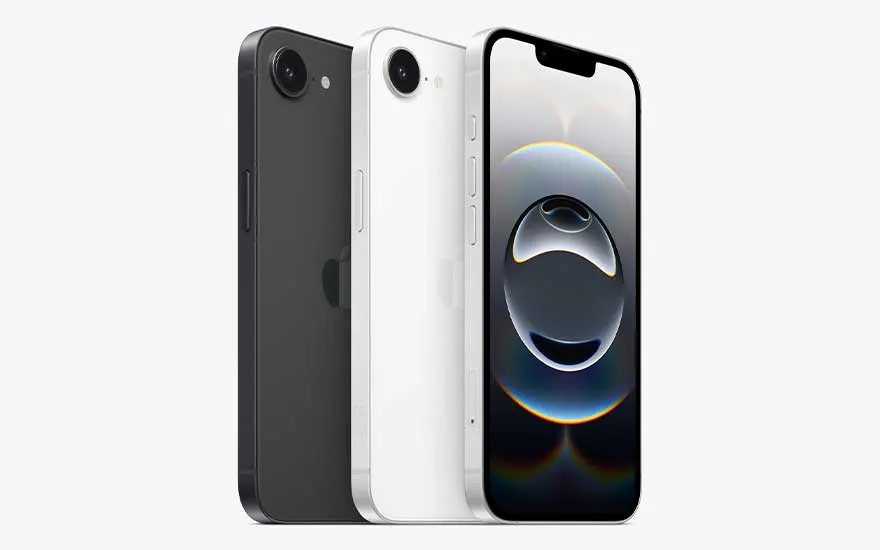
Three iPhone SE models in black, white and front view are arranged to showcase their compact design and single camera.

iOS 26 is available from the 2nd generation iPhone SE. Is your device older? Then you can't install iOS 26. An overview of the models on which you can install the new iOS:

When can you install iOS 26?

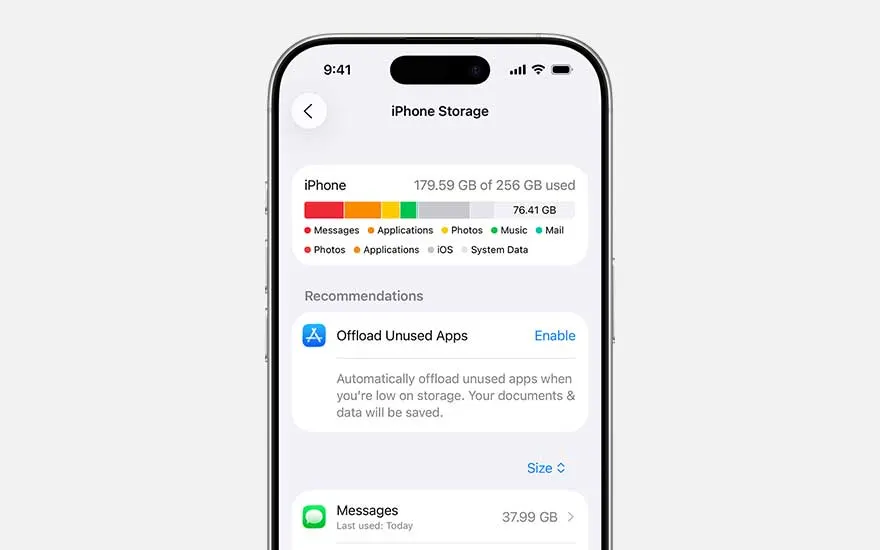
iPhone screen showing detailed storage usage bar and categories, with a recommendation to enable automatic offloading of unused applications.

You can install iOS 26 since Monday, September 15, 2025, at 19:00 CEST. Don't see the update appearing? Then your device is probably no longer compatible. For a smooth installation, it is also important to free up enough storage space, because updates can take up a lot of memory. You can check this via Settings -> General -> iPhone storage and possibly delete larger apps or videos temporarily. It's also a smart move to put your device on the charger so that the battery doesn't run out. Your device must also be connected to the Wi-Fi network. On some newer models, you can download updates via mobile internet.

How long does an iOS 26 update take?

Three iPhones side by side display a lock screen, translucent widgets and a Safari page about a floral arrangement workshop.

An iOS 26 update takes about 30 to 90 minutes. If the installation is taking longer or seems to be stuck (such as a frozen progress bar), you should first check that your device has enough battery and a stable internet connection. Doesn't that seem to be the problem? Then a forced restart may be necessary. Short press volume up, short volume down, and then press and hold the side button until the Apple logo appears. If it still doesn't work, it's best to delete the update file via Settings -> General -> iPhone storage to download it again. If all else fails, you can update via a computer using Finder or iTunes – if this still doesn't work, contact Apple Support for further assistance.

Why is iOS 26 not working on my iPhone?

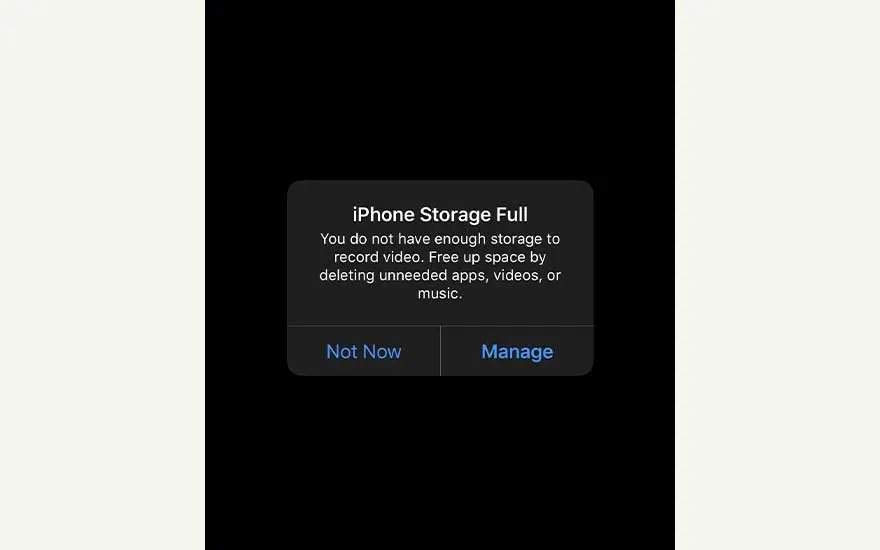
Black iPhone screen showing “iPhone Storage Full” alert, warning there’s no space left and offering options to manage storage.

iOS 26 might not work on your iPhone for several reasons:

  • Your device is not compatible: apple stops updates after a certain generation. For example, the iPhone XS, XS Max, and XR from 2018 will no longer get iOS 26. If you have such an older model, you cannot install the update.
  • You don't get to see the latest update: sometimes your iPhone reports that you already have the latest version (e.g. iOS 18.6.2) while iOS 26 is now available. This may be because you have previously installed betas or because the update is not yet coming through properly. Restarting and disabling beta updates can help. You can also try to install the update via a Mac or PC.
  • You don't have enough memory or battery: not enough free space or a low battery can block the update process. Make sure you have enough storage space and let your iPhone charge during setup.
  • The update hangs during preparation or installation: this is often due to connectivity issues, a slow internet connection, or temporary bugs. Restarting, charging and possibly updating via iTunes can help.

Our advice on Apple's iOS 26

iPhone home screen with large Music and Reminders widgets in front, set over a striking outdoor portrait used as the wallpaper.

With iOS 26, Apple is once again taking the iPhone experience to the next level. The fresh Liquid Glass interface, the smart improvements thanks to Apple Intelligence and the extra options in the Messages and Phone app make the update both beautiful and practical. Smaller innovations, such as the improved Reminders app and new accessibility features, also make your device more personal and easier to use.

These articles might also be of interest to you