MM logo white 1
MM logo red
Image description is not available

What is iPadOS?

Luca26 AUGUST 2025
Three Apple devices displaying colourful home screens with various app icons and weather widgets against vibrant wallpaper backgrounds.

iPadOS is Apple’s dedicated operating system for iPads, introduced in September 2019. Based on iOS, it includes a range of features specifically designed for the larger iPad screen and multitasking. Just like iOS, Apple releases a new version of iPadOS every year to improve performance and add new capabilities.

Which iPads use iPadOS?

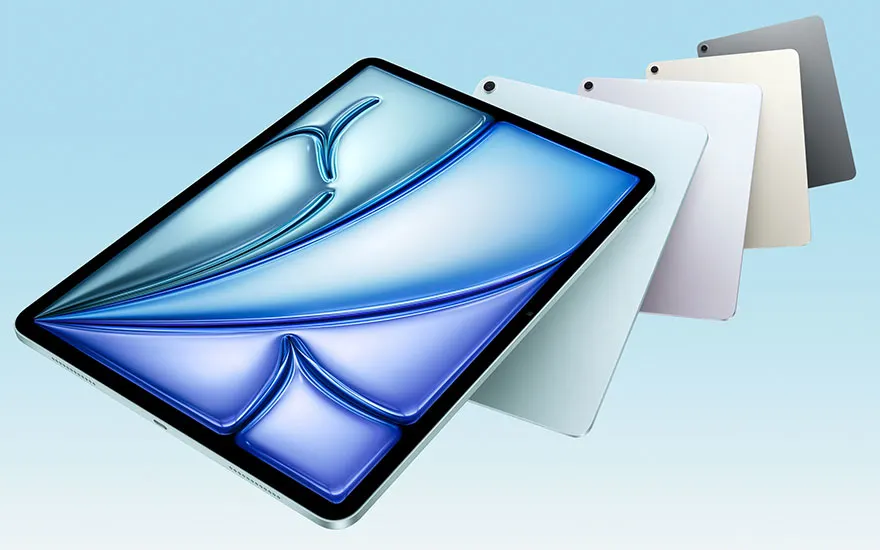
Five tablets in different colours - black, white, pink, beige and grey - arranged in a fan formation with a blue abstract background.

iPadOS launched with version 13 in 2019. Any iPad released after that supports it. Here’s a list of iPads that run iPadOS:

To all iPads

How to check your iPadOS version

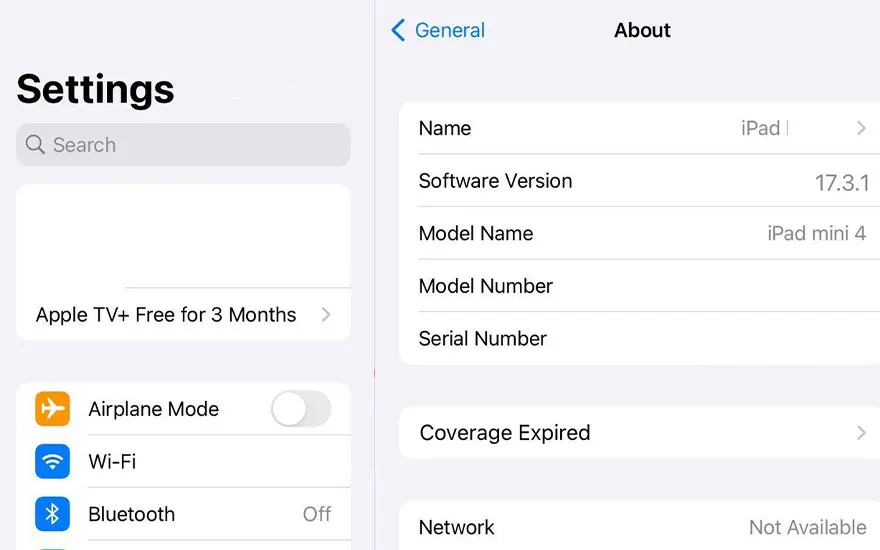
iPad settings screen showing "About" section with device info: iPad mini 4, iOS 17.3.1, plus aeroplane mode, Wi-Fi and Bluetooth options.

Want to know which iPadOS version your device is running?

  1. Open the Settings app.
  2. Tap General.
  3. Select About.
  4. Look for “Version” – your current iPadOS version will be displayed here.

More about iPadOS 16

What is the latest version of iPadOS?

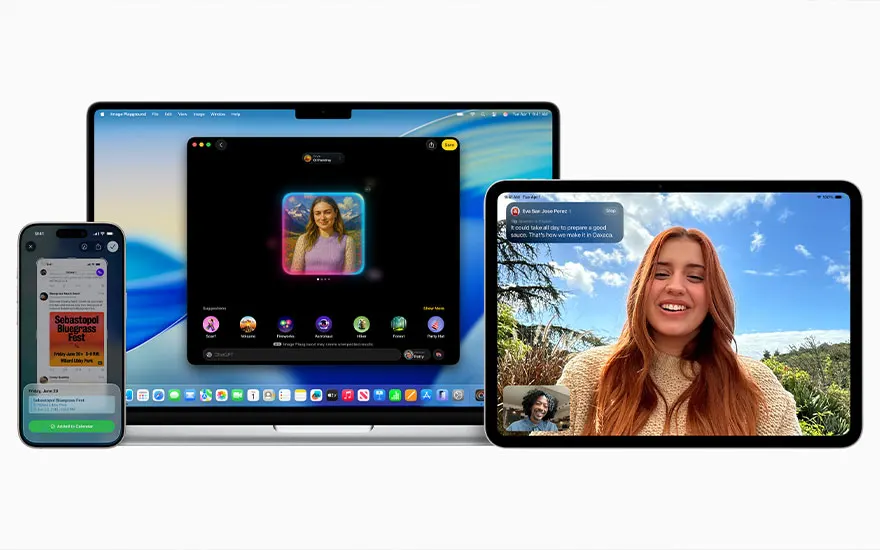
The latest version is iPadOS 18, released in September 2024. Key features include:

Three Apple devices showing FaceTime video calls: iPhone with messages, MacBook with group call, iPad with personal call.
  • Apple Intelligence: organises emails, summarises notifications, and creates images or texts. Siri is now more fluent and capable. (Not available in Dutch).
  • New control panel: cleaner layout with more customisation.
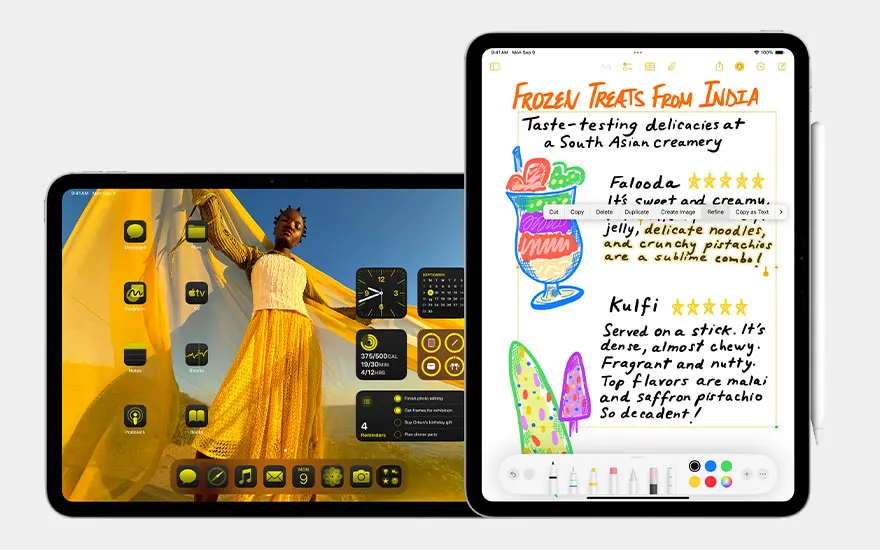
  • Customisable home screen: move and style app icons with filters and dark mode.
  • Floating tab bar: more intuitive app navigation.

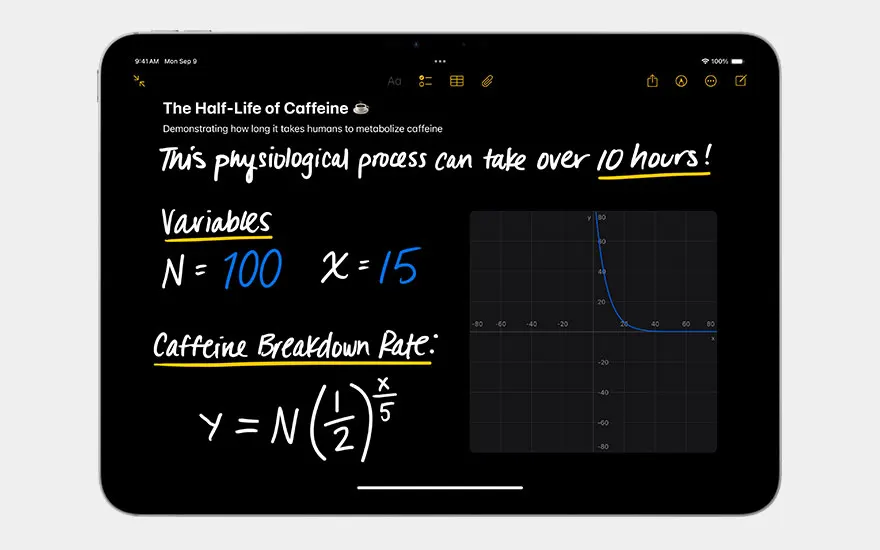
iPad displays educational notes app about caffeine half-life with mathematical formulae, variables and exponential graph shown.
  • Math Notes & Calculator: solve equations and plot graphs directly in Notes.
  • Passwords app: centralised access to passwords and passkeys across devices.
  • Smart Script for Apple Pencil: handwriting-to-text support in Notes.
  • Photos app redesign: enhanced AI editing and organisation tools.

More about iPadOS 18

Which iPads still receive security updates?

Woman in pink jumper holds green iPad whilst sitting outdoors amongst lush green plants with filtered sunlight streaming through.

Even if an iPad no longer gets feature updates, Apple typically continues providing security patches. That means you can still use your device safely. These iPads will continue receiving security updates in 2025:

Find out which iPad you have
Model iPadSecurity updates until

iPad (7th generation, 2019)

End of 2025

iPad Air (3rd generation, 2019)

End of 2025

iPad Mini (5th generation, 2019)

End of 2025

iPad Pro 11-inch (1st generation, 2018)

End of 2025

iPad Pro 12.9-inch (3rd generation, 2018)

End of 2025

New models

In progress

Which iPads will still receive software updates?

ModelSupport ends

iPad Mini 5

September 2025

iPad Air 3

September 2025

iPad Pro 11 (1st generation)

September 2025

iPad Pro 12.9 (3rd generation)

September 2025

iPad (7th generation, from 2019)

September 2025

iPad Air 4

September 2026

iPad Pro 11 (2nd generation)

September 2026

iPad Pro 12.9 (4th generation)

September 2026

iPad (8th generation, from 2020)

September 2026

iPad Air 5

September 2027

iPad Pro 11 (3rd generation), iPad Pro 12.9 (5th generation)

September 2027

iPad (9th generation, from 2021)

September 2027

iPad Mini 6, iPad (10th generation, from 2022)

September 2028

iPad Pro 11 (4th generation), iPad Pro 12.9 (6th generation)

September 2028

iPad Mini 7, iPad Air (2024 model)

September 2030

iPad Pro 11 (2024-model), iPad Pro 13 (2024-model)

September 2030

Our advice on Apple's iPadOS

Woman with black hair sits relaxed on yellow chair using red iPad in modern space with colourful red background setting.

iPadOS continues to evolve with new tools for creativity, productivity, and accessibility. With strong device support and yearly updates, it’s ideal for students, professionals, and anyone using an iPad regularly. If you’re planning to buy a new iPad, opt for a model from 2024 or later to enjoy the longest support possible.

How to choose an iPad

These articles might also be of interest to you